

ftrack Studio 4.3 is here! We’ve launched several new features designed to make life easier for producers and supervisors around the world. Here’s a glance at what we’re bringing to you in ftrack Studio 4.3, and below that a video exploring each new feature in-depth ✨
? Improved planning tools
? Share dashboards in Overview
? 2FA for increased security
?️ New media review tools
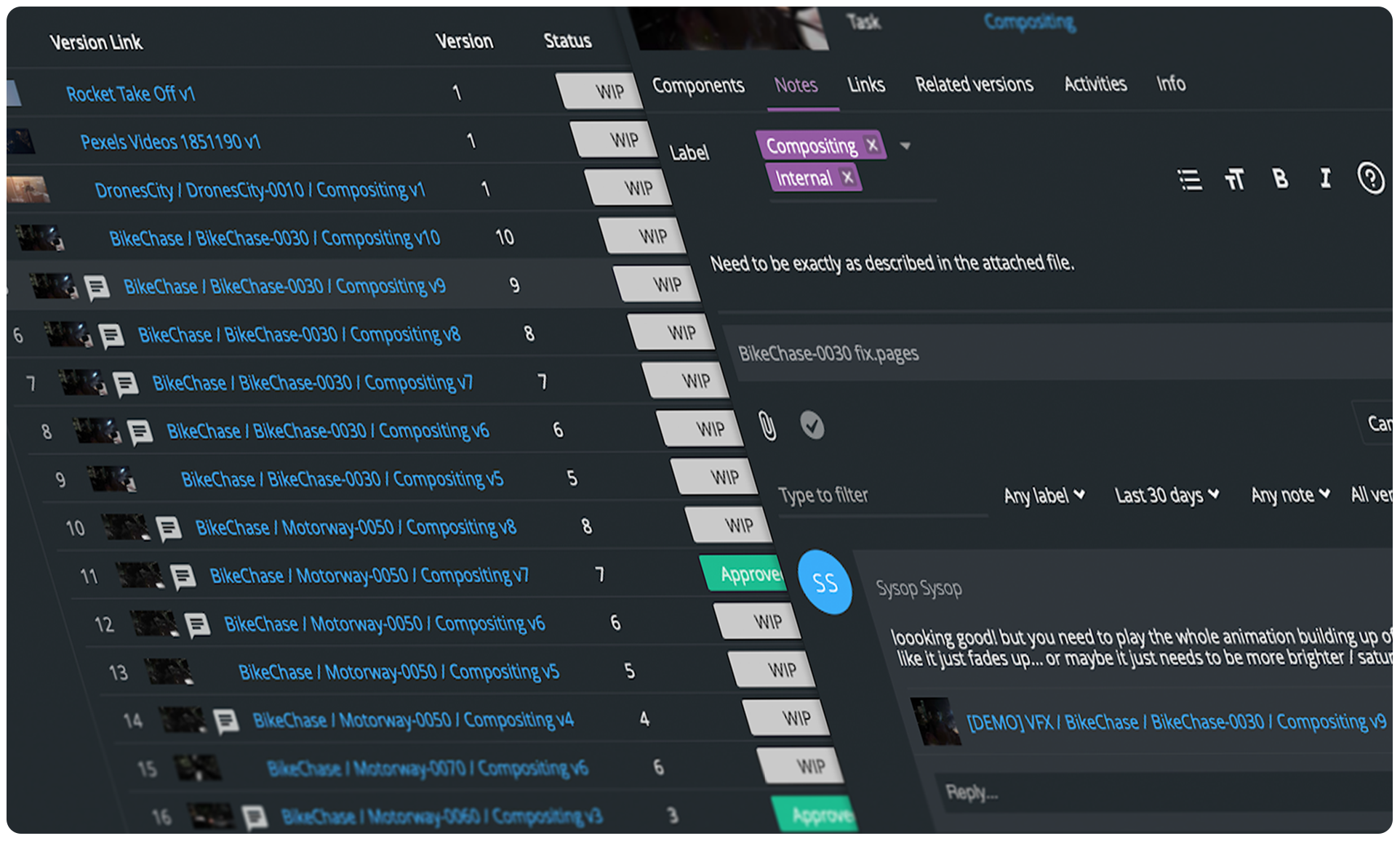
? Multiple note labels
?? Japanese and ?? Spanish localization
⏰ Control access to time tracking
We’re rolling out ftrack 4.3 now, so keep an eye on your software for the changes as they come through! Let’s dive in and see what ftrack Studio 4.3 has to offer!
New features in ftrack Studio 4.3 – watch the video
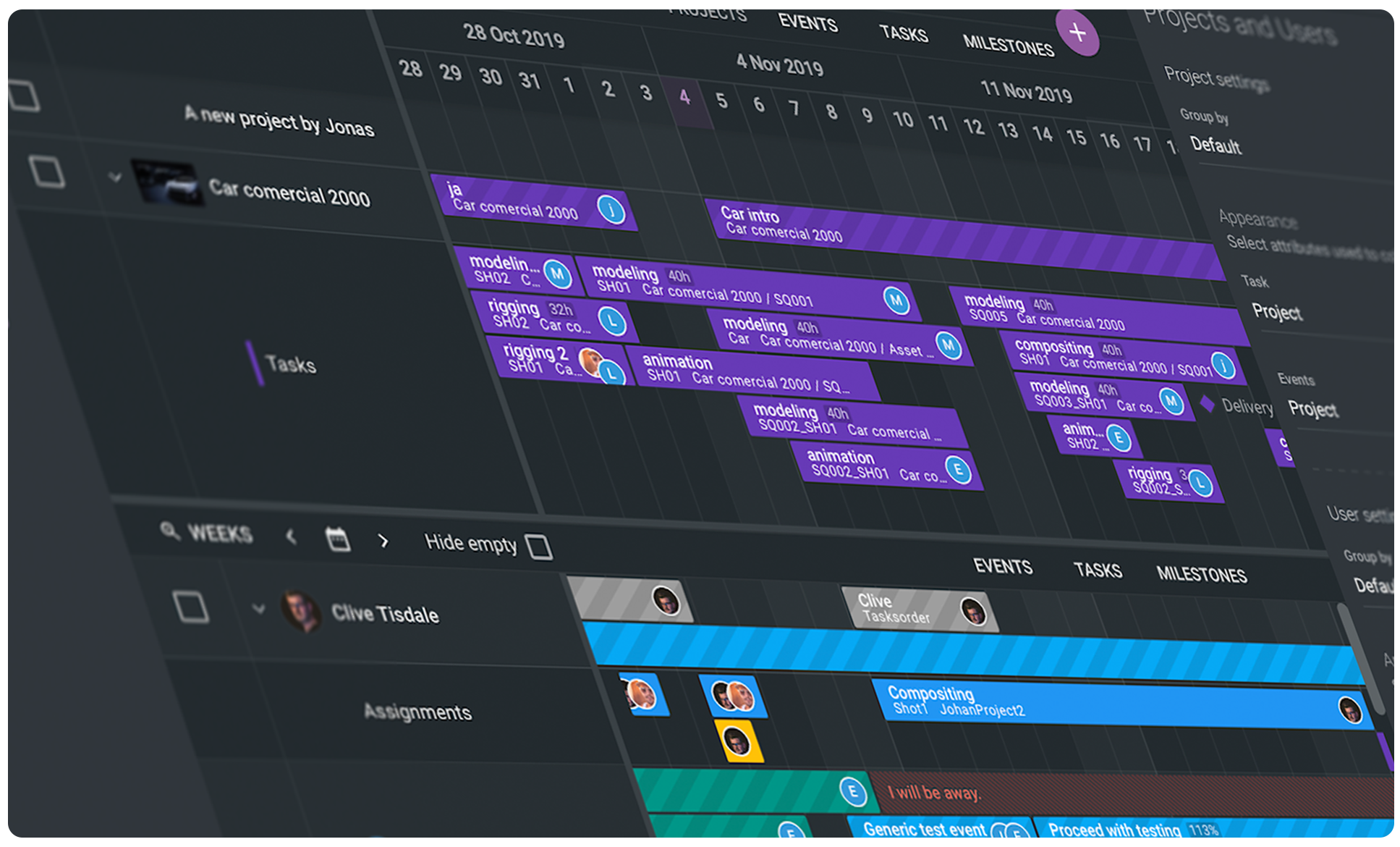
Schedule with improved planning tools
- visually group projects and timelines
- colour your timeline content to categorize
- make the timeline more compact by hiding projects or users with nothing scheduled
- work with more visibility, ease of use, and accessibility!
We’ve also increased the planning tools’ performance overall. Expect more developments in the future!
Share dashboards for greater oversight
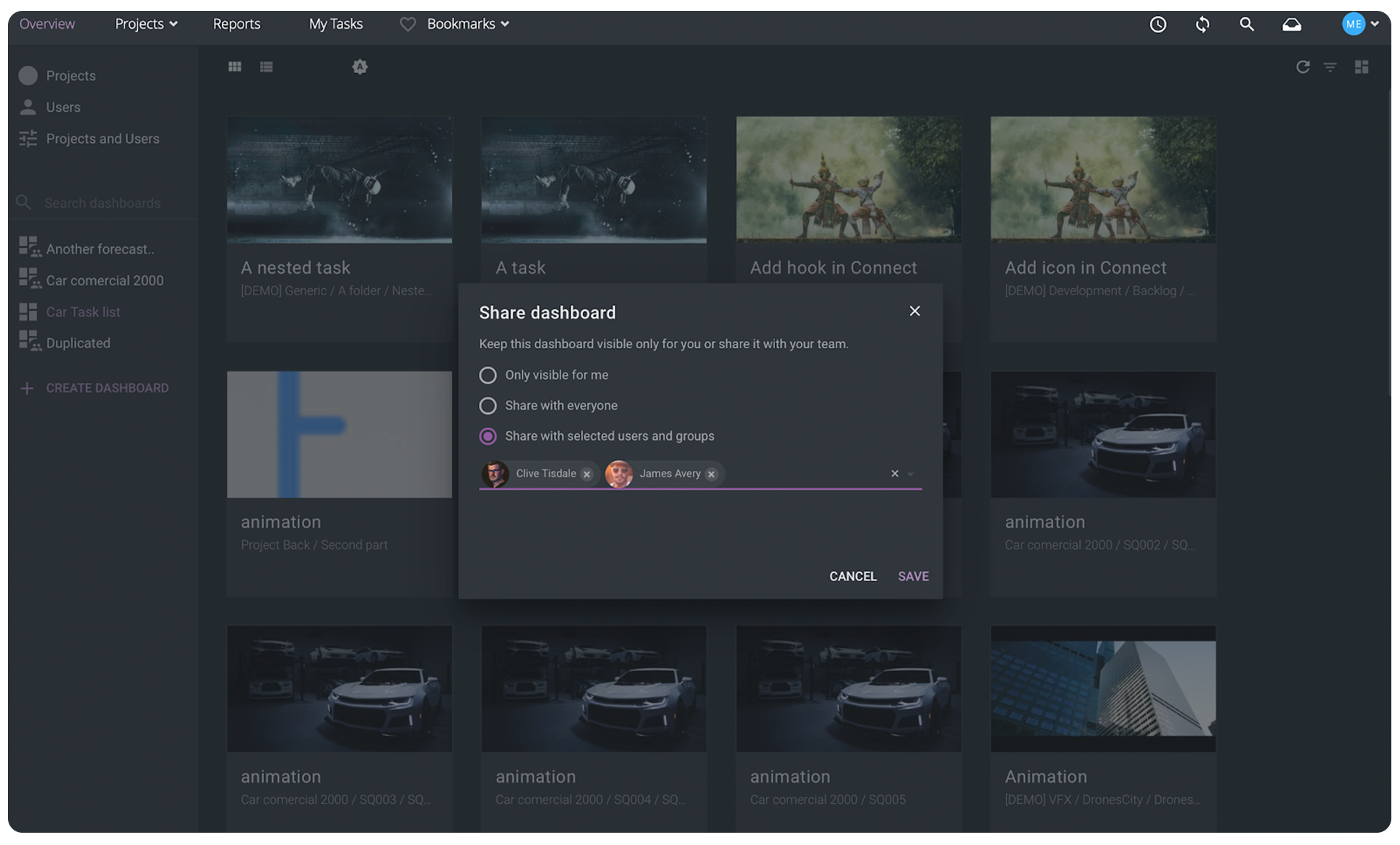
Give everyone the information they need to produce great work: ftrack Studio 4.3 makes it easy to share dashboards with others on your team.
Using this new feature, you can standardize useful dashboards – and the helpful information they contain – to everyone who needs that data across your studio. Everyone’s in sync!
Increase project security with 2FA
We’re working to make ftrack more secure than ever. (We recently passed the TPN assessment process, which you can read about here.)
As part of this initiative, we’ve introduced 2FA to your ftrack workspace. 2FA brings an extra layer of security around account logins, necessitating the user to access another physical device to access their account.

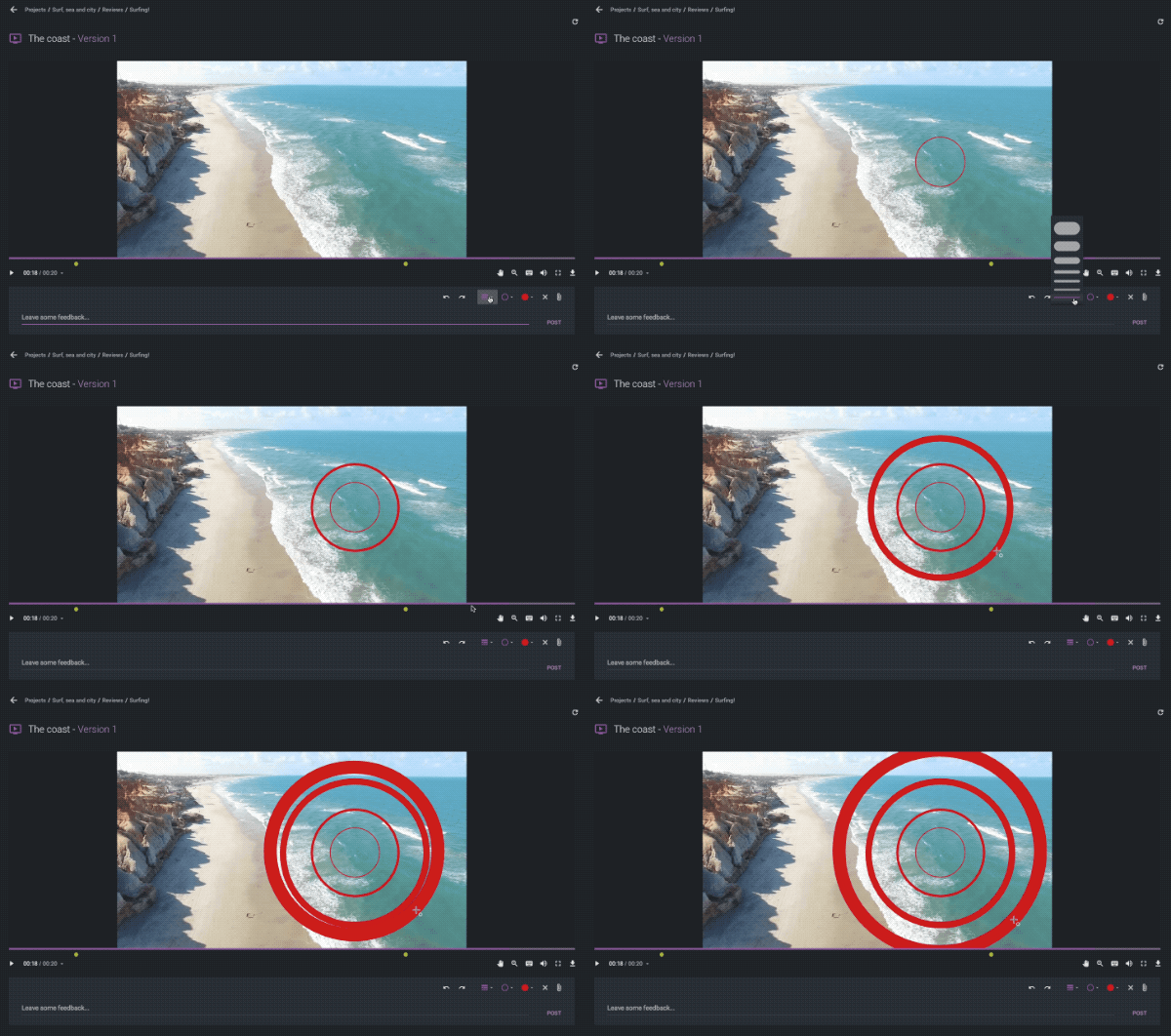
Simplify feedback with new review tools
- Add attachments to feedback
- Use multiple brush sizes for annotations
- Add loop in/out points to focus on media
- Easier switching between versions
- Easy access to keyboard shortcuts
Expect more exciting media review improvements soon: read all about our acquisition of cineSync developer Cospective!
Multiple note labels for clarity
Find the feedback you need – faster. Assign notes with multiple labels: if you need to classify a note as containing both Animation and Client feedback, you can!
Multiple note labels give you far more flexibility around how you search, classify, and react to feedback in ftrack Studio.
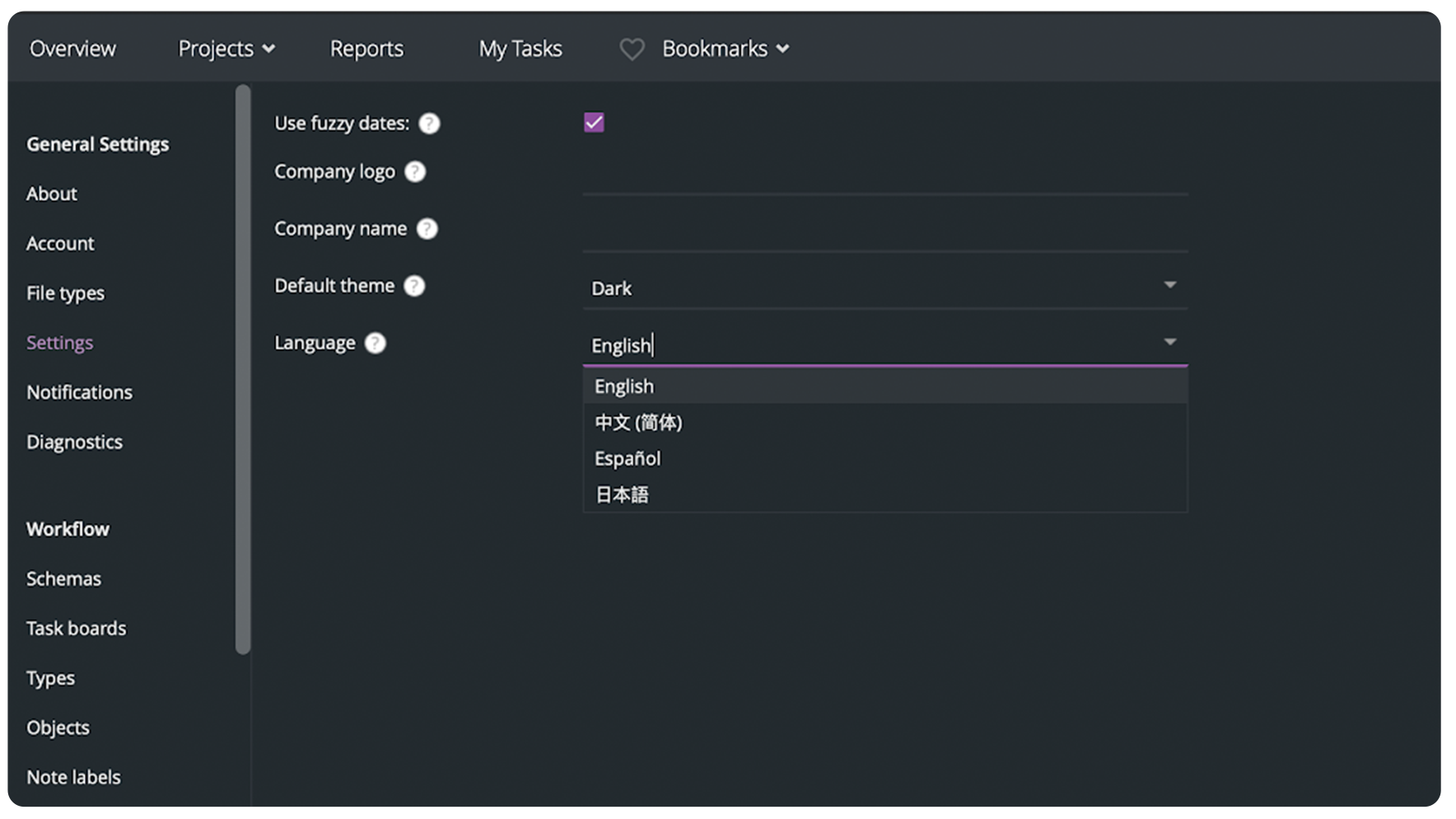
Use ftrack Studio in Japanese or Spanish
Use ftrack Studio in your native language! ftrack Studio 4.3 now enables Spanish- and Japanese-speaking customers to use the platform in their native language.
Russian-speaking users won’t have to wait long for our upcoming Russian localization either – watch this space ??
Control access to time tracking
We’ve introduced increased authority over access to timelogs: only those with permission can access them. You can set these permissions per project.
So, if you have sensitive timelogs, where some information is best kept secure, you can control who sees what information, and who doesn’t.

We’re rolling out ftrack Studio 4.3 in the coming weeks. Be sure to update to get access to all of the latest features.
As always, if you have any feedback please don’t hesitate to let us know. We consider all feedback as we build out our product roadmap and plan new features for the future.
New to ftrack Studio? Start a free trial to see if ftrack aligns with your needs.
More from the blog

 Contact us