

cineSync’s April 2021 update brings media review to the world of virtual production. Read on to learn about 360/latlong video review for virtual production, animation ghosting, and various fixes and improvements.
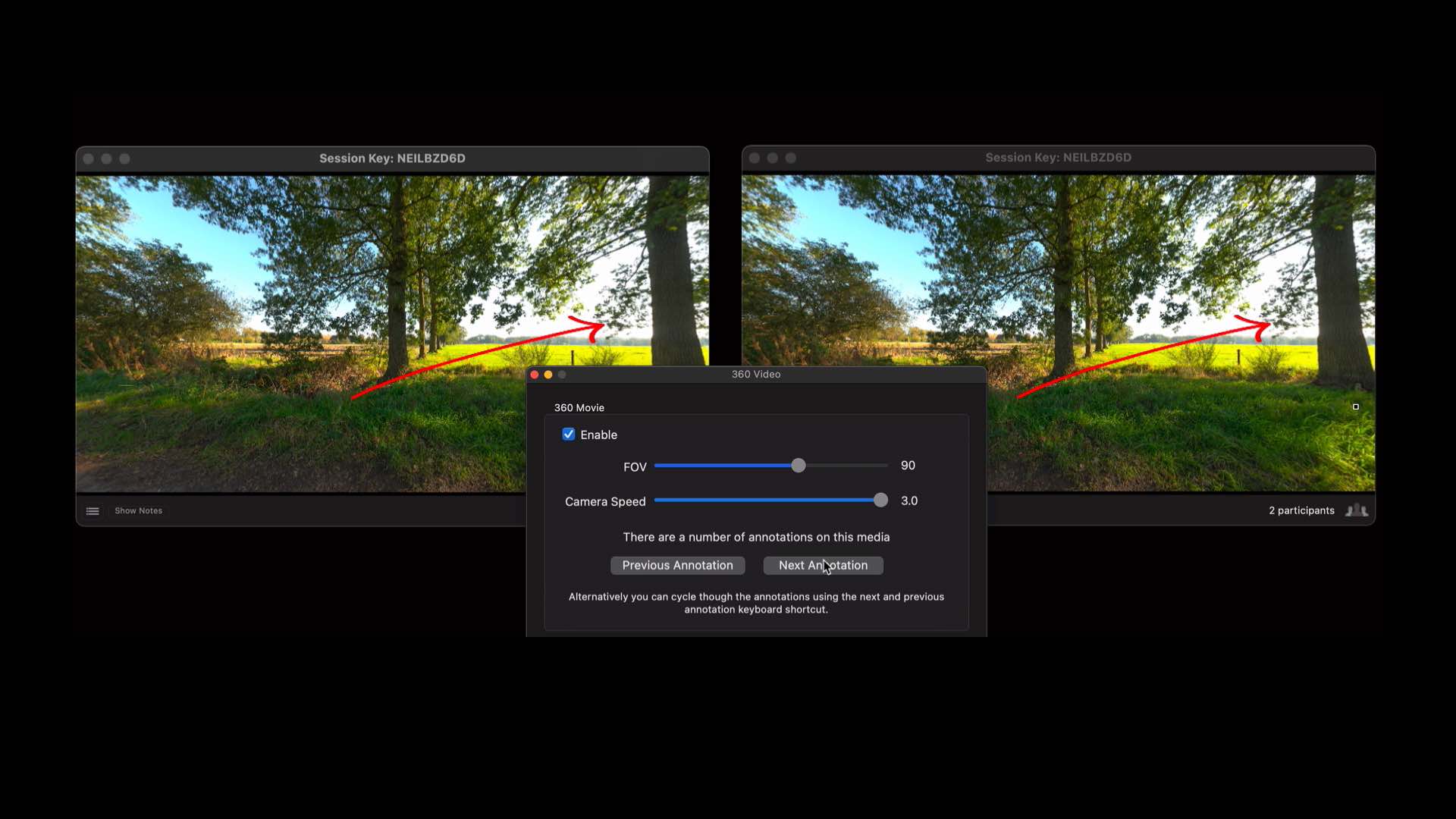
We’re pleased to announce that cineSync now fully supports 360 video content for virtual production media review. Many shows like Disney’s The Mandalorian use 360 video content (also known as “latlongs”) in large LED volumes to capture in-camera composites during principal photography. The benefits of such virtual production techniques over green screen are significant, including capturing realistic on-set lighting or tweaking environment backdrops in real-time. With cineSync, collaborators can now review in sync the 360 video that drives this content to ensure it meets the needs of any virtual production.
Features in the cineSync April 2021 release include:
- Support for equirectangular 360 video – discuss and approve latlong content before it hits the LED volume
- Animation ghosting – sketch annotations across several frames to denote movement
- File transfer streamlined – including automatic media download for guests
Scroll down to see these features in action.
Full support for equirectangular 360 video review
cineSync now fully supports 360 video content. 360s or “latlongs” are a video format currently redefining on-set virtual production for projects such as Disney’s The Mandalorian. With cineSync, creators of 360 video content can review and approve latlongs in advance of their use on set. Users can view spherical 360 video in a standard rectangular viewing window, pan around inside the image, and add positionally accurate annotations, all in real-time sync with other collaborators.
Over 50 per cent of The Mandalorian’s first season was filmed using real-time latlong content displayed on ILM StageCraft’s massive 20-foot high by 270-degree semicircular LED video wall, which eliminated the need for location shoots. LED screens present the 360 video as dynamic, photoreal digital background landscapes, which dynamically update to match the perspectives and parallax an on-set camera would record in real life. Such virtual production techniques enable filmmakers to achieve in-camera composites with a degree of creative flexibility previously impossible.
As virtual production technology becomes more prominent—and ILM StageCraft becomes available to filmmakers, agencies, and showrunners worldwide—creatives must ensure 360 video content is LED wall-ready. With cineSync, users can review latlongs before shooting, test sets and locations before they go live, or even “scout” digital locations in sync to ensure they fit a show’s creative needs.

Jake Morrison
VFX Supervisor, Marvel
“Working with the cineSync team to implement the new 360 latlong viewer into cineSync was a total treat! Although we use latlongs with our director all the time, we have lacked a quick, interactive, and most importantly, creative way to work with them. Now we can use latlongs in cineSync to create new shots, annotate them, and save the results in a heartbeat! It’s a game changer.”


Animation ghosting added to reviews
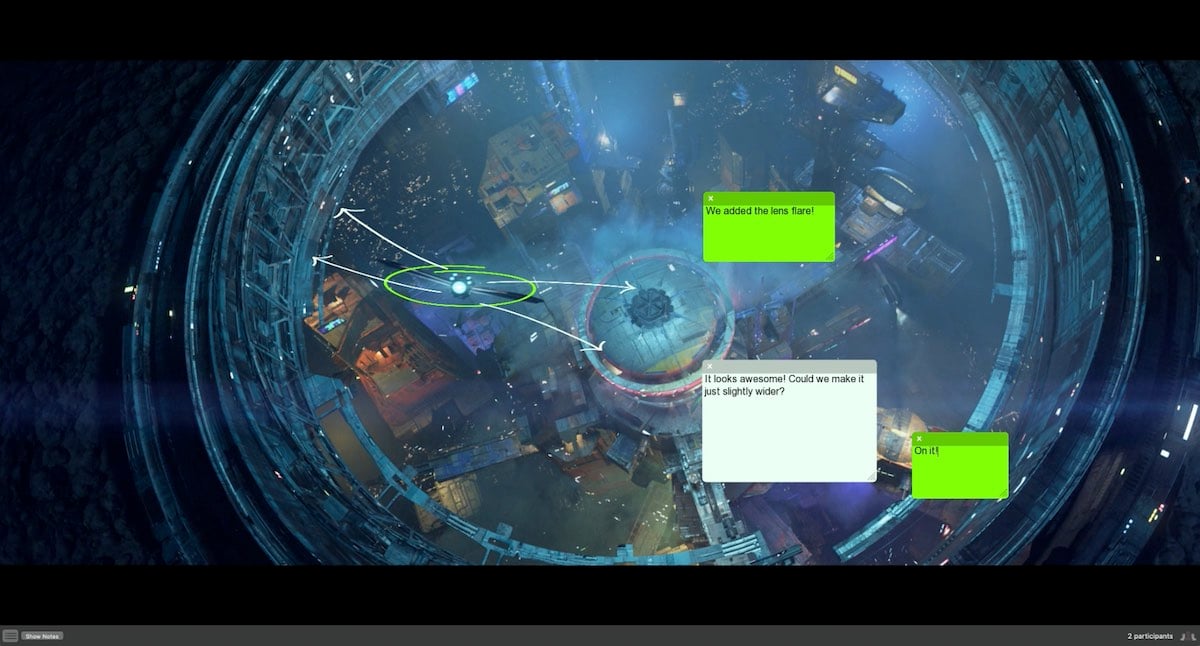
cineSync’s annotation tools now allow for “ghosting”—the display of drawings or sketches across multiple frames. Ghosting is particularly useful when working in animation, for example when sketching out an object’s proposed trajectory or a character’s movement across several frames. With ghosting, collaborators can sketch out potential action to feel out what works or what doesn’t for a scene. cineSync offers control over how many frames the ghosting effect is shown, before or after the annotated frame.


Streamlined file transfer and automatic media download for guests
cineSync’s latest update brings updated Amazon S3 file transfer functionality, meaning users can more easily and securely transfer encrypted review content to anyone, anywhere in the world. For guests, this means an automated download process: guests can jump into a review session and access review content without seeking out and manually downloading the files under review, as files with an S3 bucket will automatically download.
In all cases, the content remains fully encrypted and playable only in cineSync. Review owners can set the content to auto-delete from the guest machine at the end of the review if they so wish.
Read the full list of updates and download cineSync. Please contact us at [email protected] at any time if you have any questions about the cineSync April 2021 updates.
We developed many of the features described above in response to user feedback. Please do not hesitate to offer your suggestions should you have any requests around cineSync functionality.
Enjoy the new release!
– The ftrack team
Try 360 video review
Start your free trial today to experience all of the new features discussed above—plus a whole lot more.
More from the blog


 Contact us