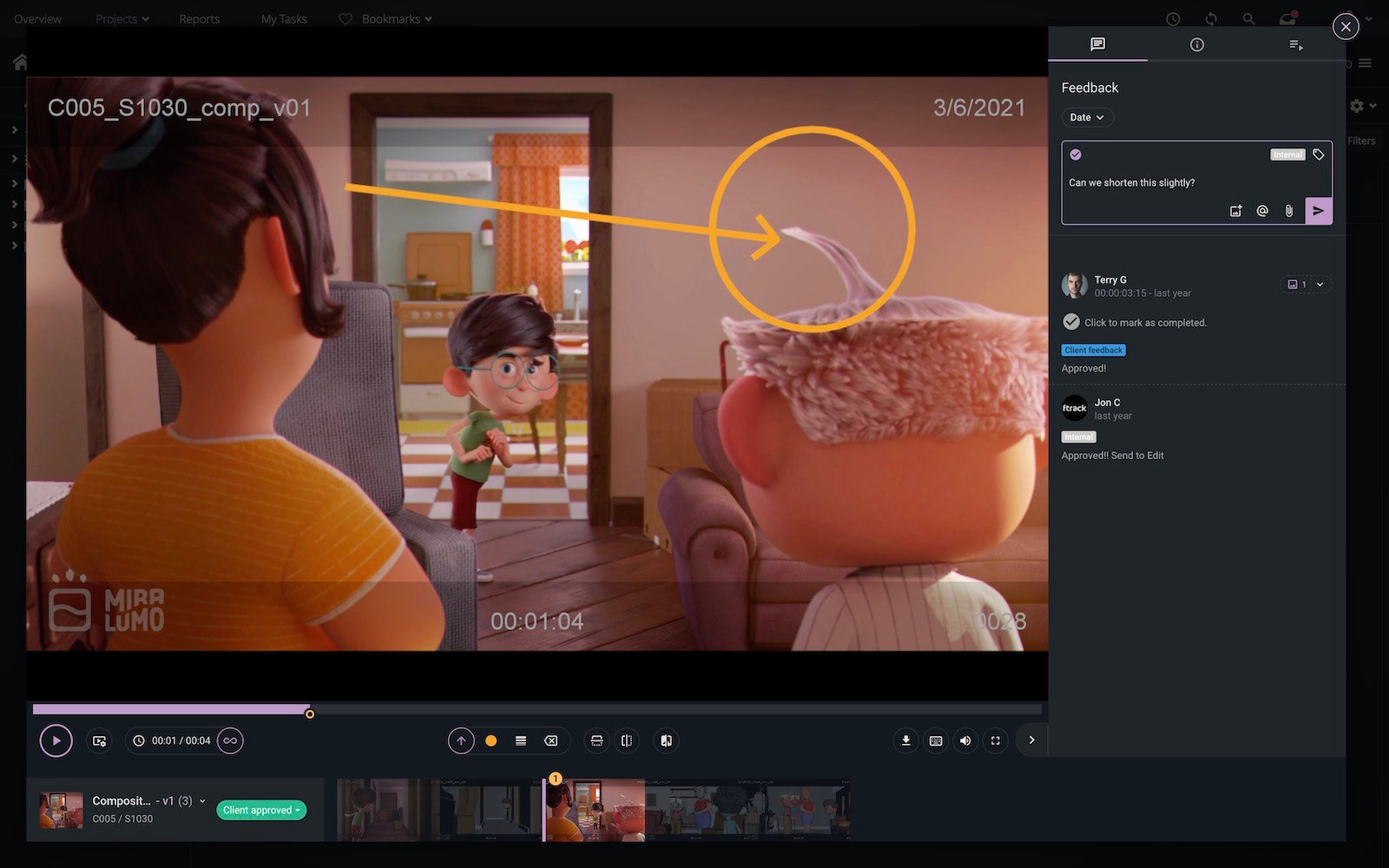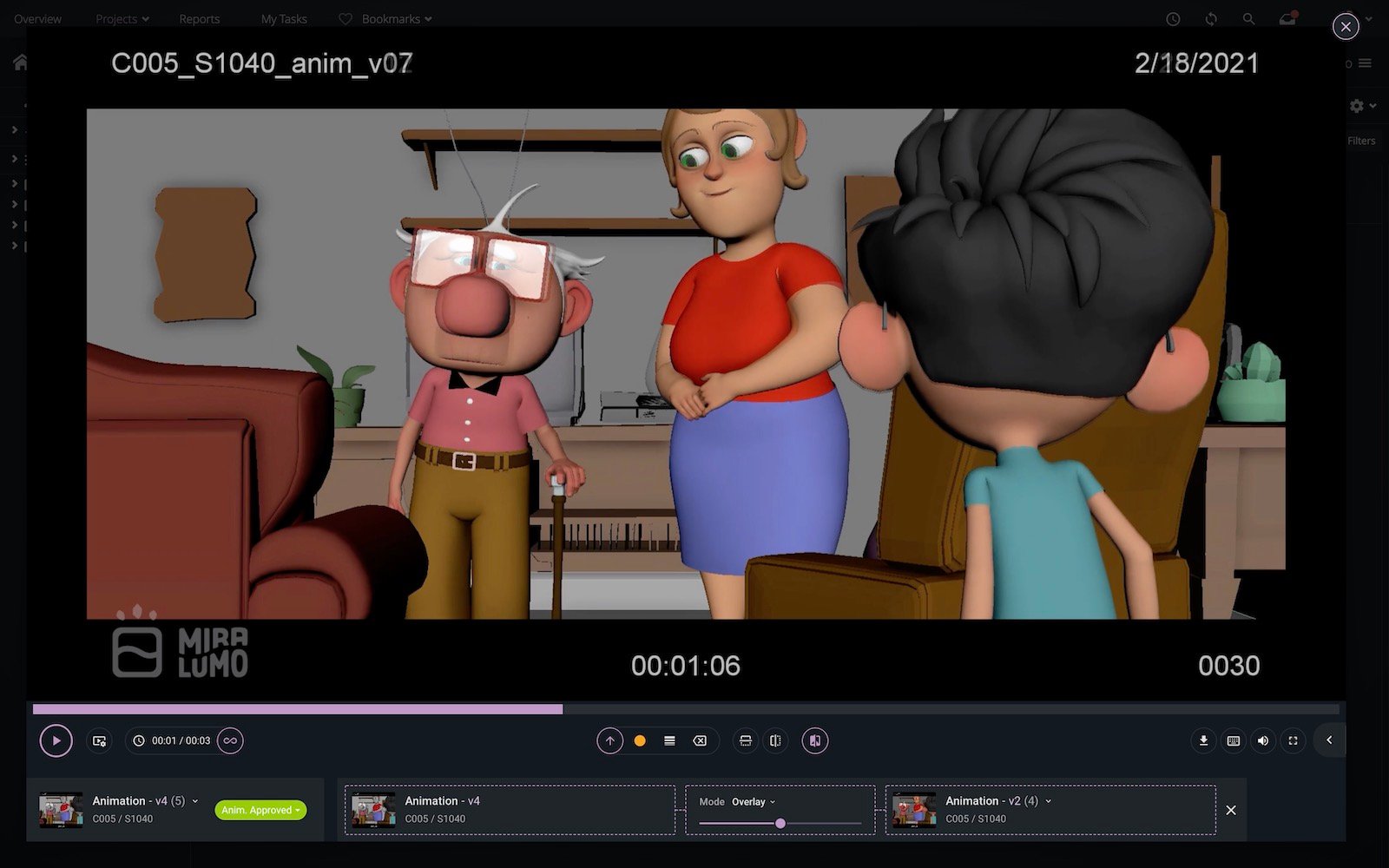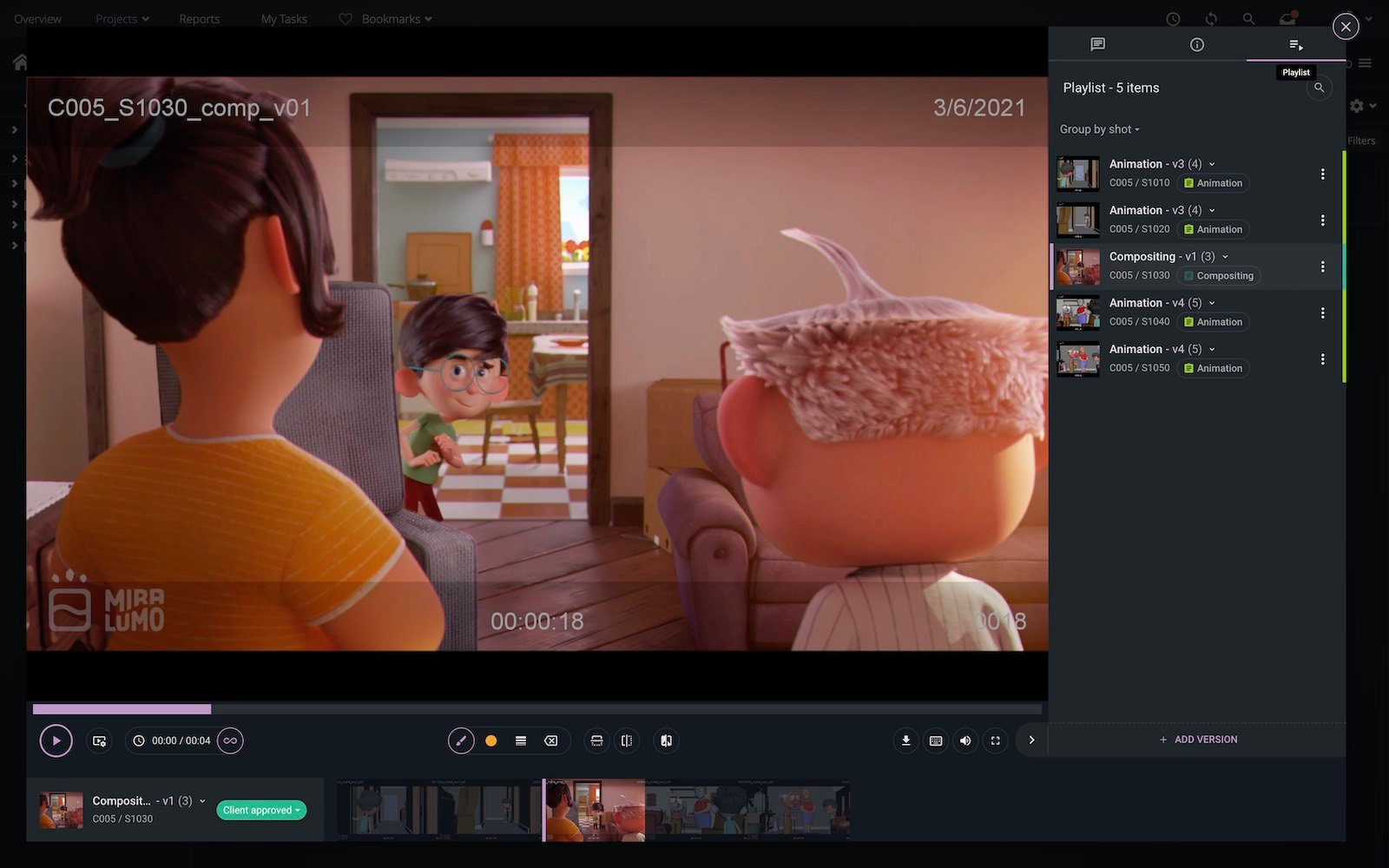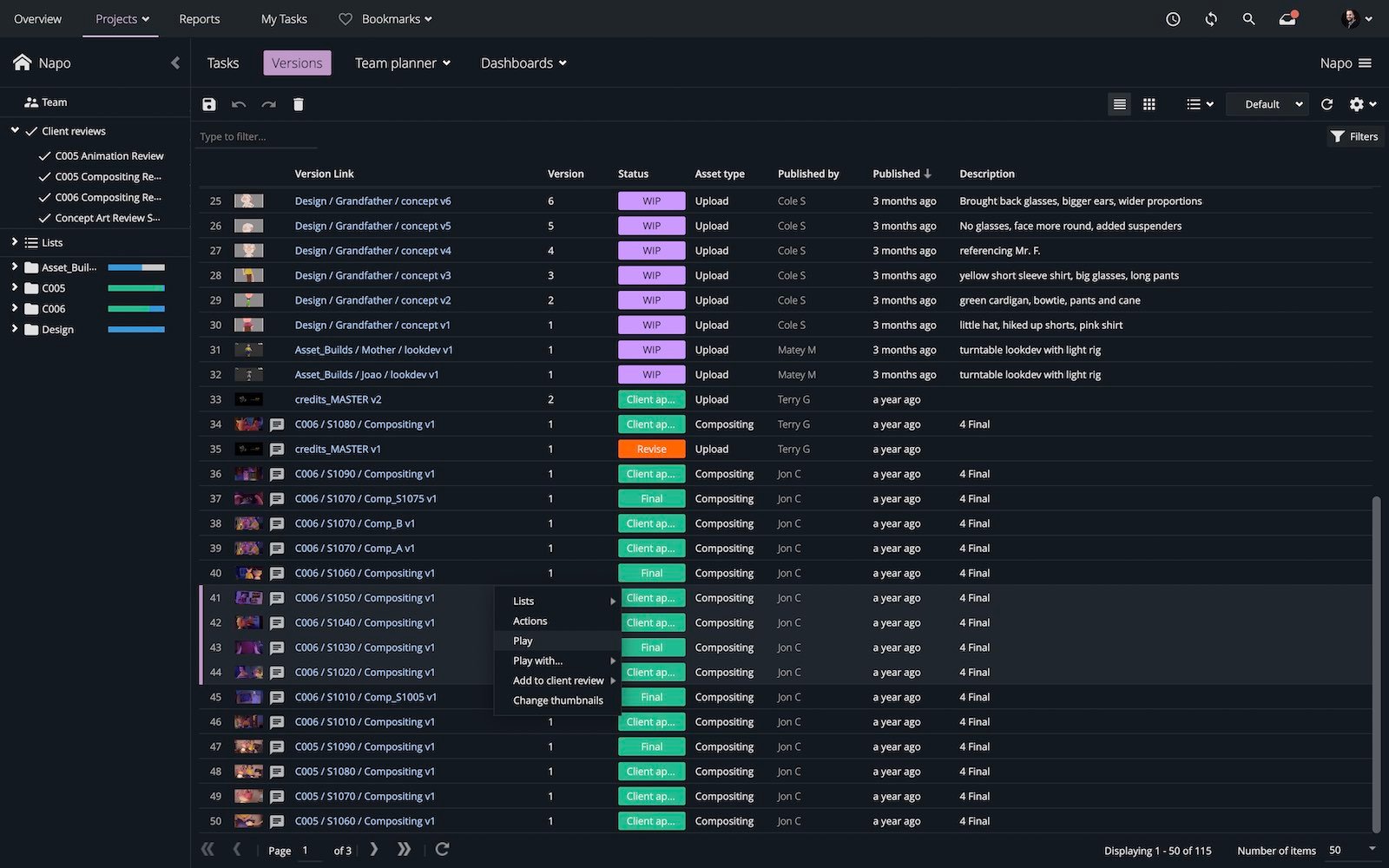

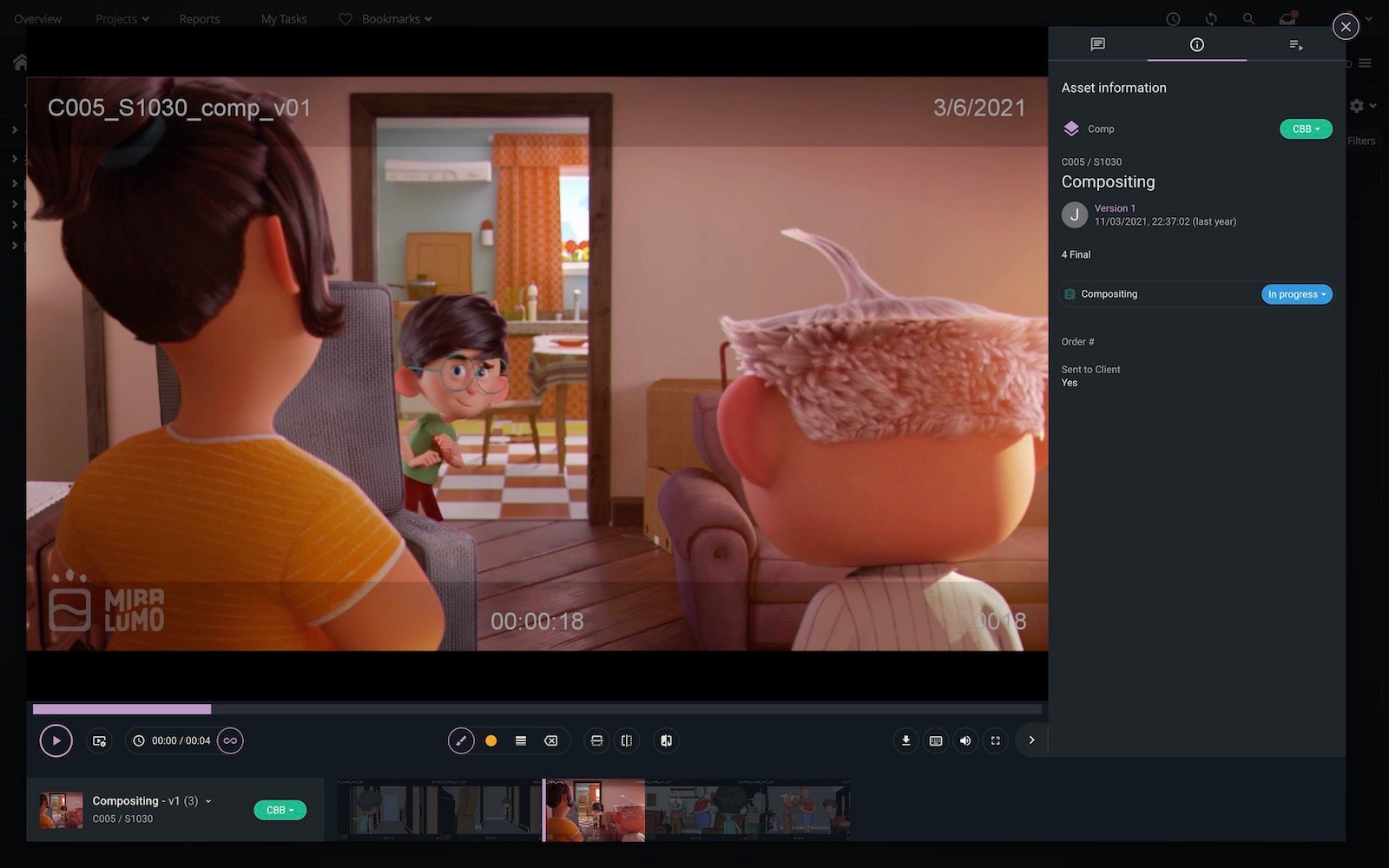
A new beta version of the Lightbox Player in ftrack Studio is available to try today for quick-and-easy, frictionless media review. You can use the updated Lightbox Player to review media without having to launch a full review session.

The Lightbox Player in ftrack Studio enables quick playback of versions from within the ftrack Studio UI without launching a “formal” review session. You just click on an asset or version, and a review will open in a floating pop-up window. Using the window, you can add notes and annotations without navigating away from the page you were on before launching the Lightbox.

The new version of the Lightbox Player (beta), available today in ftrack Studio, replaces the older version of the player with a new tech stack. The enhanced Lightbox Player offers the following functionality, with more speed and less friction than ever before:

  • Improved support for previewing videos, images, and multi-page PDFs.
  • More responsive notes and annotations.
  • Easy playback of version sequences.
  • The ability to view timeline markers.
Play Video

See the Lightbox Player in action

You can turn on the new Lightbox Player via System settings > Advanced > Experimental and selecting “New web player.”

Please note that playlist management and other features are unavailable inside the Lightbox Player. If you wish to use deeper review functionality, you must launch a dedicated media review session.

If you would like to let us know any feedback or thoughts about the Lightbox Player in ftrack Studio, please use the following link. Your feedback is invaluable as we improve ftrack Studio for modern workflows.

Try the Lightbox Player today

Experience frictionless reviews. Try the Lightbox Player today with your free ftrack Studio trial.
I'd like to try ftrack

More from the blog

Introducing Ftrack Studio’s new top-level navigation: A smoother, smarter way to work

| Integrations, New features, News, Product, Release, Studio | No Comments
We’re thrilled to announce a major update coming to Ftrack in September 2025 — a redesigned UI navigation experience that makes it easier than ever to move through your projects,…

New integrations with Side FX Houdini, Adobe Premiere Pro, and Toon Boom Harmony

| Integrations, New features, News, Product, Release, Studio | No Comments
We’re excited to announce new ftrack Studio integrations with SideFX Houdini and Adobe Premiere Pro, along with a pre-release version of Toon Boom Harmony. Recently, we launched the new ftrack…

The new webhooks UI, external URL linking, and more

| Developer, New features, Product, Release, Studio | No Comments
The latest batch of features has arrived in ftrack Studio! Read on to learn about our new webhooks UI to automate your workflows, a new custom attribute titles URL, the…

What’s new in ftrack – Enhanced Project dashboards and streamlined data export

| New features, Product, Release, Studio | No Comments
In this update, we've made some small tweaks that make a big impact. We've introduced more flexibility in project dashboard customization and simplified the data export process—all designed to make…

New Available Tasks workflows to empower your team to self-serve tasks

| New features, Product, Release, Studio | No Comments
We’ve made ftrack’s Available Tasks workflows more easily accessible to all ftrack users! With this update, you can make your workflow more dynamic and make it easier for creatives to…

Introducing the ftrack Connect Framework and new integrations

| Announcements, Developer, Integrations, New features, News, Product, Release, Studio | No Comments
We’re excited to announce the release of our new ftrack Connect Framework, designed for pipeline support in the creative industry. This significant upgrade brings forth a suite of enhancements tailored…

Introducing the new ftrack Developer Hub

| Announcements, API, Developer, Integrations, Productivity, Studio, Tips & tricks | No Comments
We're thrilled to announce the launch of the new ftrack Developer Hub—a comprehensive resource designed for developers, pipeline technical directors (TDs), and anyone keen on maximizing their use of ftrack…

Introducing the Create Project UI: Discover a new user-friendly UI to set up your ftrack projects

| Announcements, New features, Product, Release, Studio | No Comments
We’re excited to unveil something we hope will make your project kick-offs that little bit simpler – the new Create Project UI. We've designed the new interface to make every…