
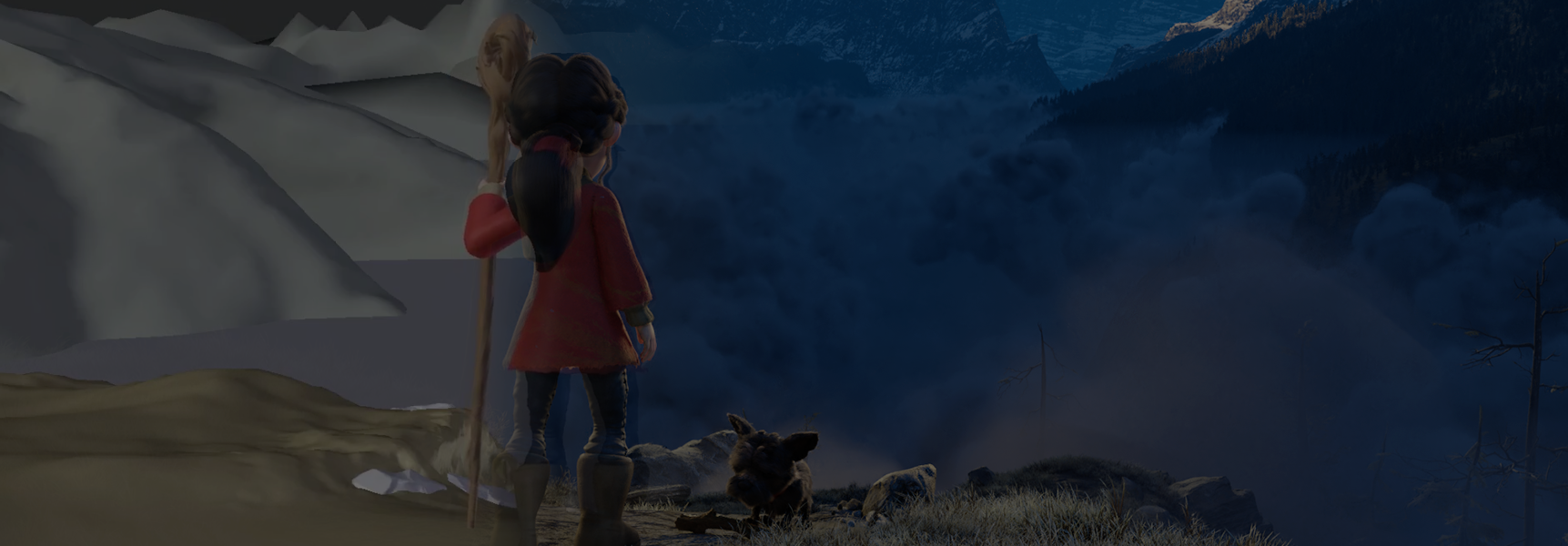
We launched Compare Mode earlier this month, making it easy for ftrack Review users to spot differences between one media version and another. Today, we’ve added Overlay to Compare Mode, which enables users to stack versions and adjust opacity to compare, contrast, and refine assets, in addition to comparing side by side.
We’ve just introduced the new Overlay feature to ftrack Review’s Compare Mode!
When we launched Compare Mode alongside synchronized reviews, versions were viewable side-by-side only. Now you can perform a more immediate comparison by layering versions and adjusting opacity with Overlay. We hope this new feature makes it easier than ever to discuss, review, and react to version updates in ftrack Review. It’s available in your ftrack Review workspace today, so dive in to check it out!
Let’s take a closer look at this new feature and another quick UI update we’ve also introduced to ftrack Review.
What is it? Overlay is a new addition to ftrack Review’s Compare Mode. Activating Overlay places one version of media on top of another. You can control the transparency of the version you’re comparing using an opacity slider, which reveals the extent of changes from one version to the next.
What can I do with it? Overlay makes it easy to spot changes between two versions and to discern which version or approach works the best. It works with both still imagery and video, so you can perform quick-and-easy comparisons whatever media you’re working on.
Overlay joins ftrack Review’s Side-by-side Compare Mode. Side-by-side comparisons juxtapose versions instead of layering one atop another.
To ensure no annotation or comment is lost when working across multiple versions, click “All Versions” in the Feedback panel. Doing so will display all collaborator comments, annotations, and feedback on every version under discussion:
Leave Review button added to UI
What is it? The Leave Review button lets users leave a review in full confidence that they no longer remain in the session. Users can quickly rejoin after leaving a review, should they wish to do so.
What can I do with it? Leave reviews! Don’t worry about losing draft annotations or notes when leaving a review. ftrack Review will warn you of any unposted feedback when you choose to exit.
Look for this new icon on the timeline to see any draft comments or annotations you haven’t yet posted:

You can learn about all of the improvements, fixes, and tweaks we made in this release of ftrack Review here:
Read ftrack Review’s full release notes
These updates are available in your ftrack Review workspace today. If your workspace has not updated, please get in touch for direct support from the ftrack team.
We hope you will enjoy exploring the full gamut of updates and tweaks. As always, we would love to hear your questions, comments, or suggestions as we work to enhance and refine workflows in ftrack Review.
If you haven’t had a look, be sure to check out synchronized reviews in ftrack Review, which we launched earlier this month.
Thank you!
Images courtesy © Blender Foundation | cloud.blender.org/spring
Try Compare Mode today
You can start a free trial of ftrack Review to see features like Compare Mode, synchronized reviews, and more.

More from the blog

 Contact us